DocSolutions for CE - Setup
Setup is composed from two phases configuration of SharePoint site and DCS Libraries
| 1 | Install DocSolutions for CE app in Dynamics 365 CE | 2 | Assign DCS security roles to Admin and Users |
| 3 | Define an app registration in Azure to allow CE to access to your SharePoint |
| 4 | Copy Tenant ID, Application ID and Secret Value in Dynamics 365 CE (SharePoint site must exists) |
| 5 | Configure DCS Library setup for entities (custom folders, DCS sync field and subfolders) |
| 6 | Configure Custom Apps to enable In-App Notifications |
| 7 | Create records and upload/share documents |
DocSolutions for CE extends the native integration between Dynamics 365 Customer Engagement (CE) and SharePoint and also implements the integration with Business Central (BC) to deliver a unified document experience.
It enables multiple folders and subfolders creation based on custom pattern on record creation; it also enables CE users (e.g., Sales) and BC users (e.g., Finance) to see, upload and download the same files, in the same folder structure, with no extra middleware, leveraging the standard CE↔Dataverse↔BC data synchronization.
Typical scenario: a salesperson attaches a Customer Agreement on an Account in CE; moments later, a BC user opens the corresponding Customer card and finds the same file in the DocSolutions FactBox.
Prerequisites
- Active Dynamics 365 CE environment
- SharePoint Online for file storage
- Business Central environments (if the documents must be shared between CE and BC) and DocSolutions for CE
- A data synchronization mechanism between CE and BC (the standard BC↔Dataverse connector is recommended)
Locate the DocSolutions App from the installed app and open it (DocSolutions Admin or System Administator role is required).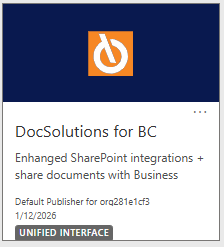
From the menu is possible to manage SharePoint Site and Library configurations.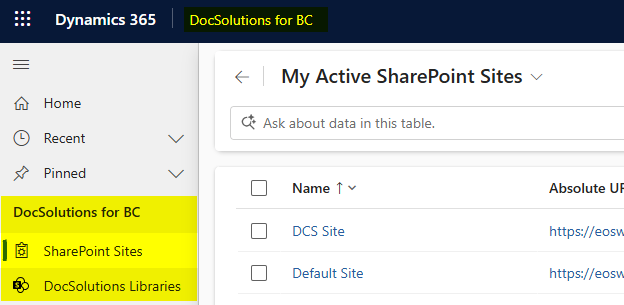
Setup is composed from two phases configuration of SharePoint site and DCS Libraries
This chapter is intended for IT , developer and technical guys
Was this page helpful?
Glad to hear it! Please tell us how we can improve.
Sorry to hear that. Please tell us how we can improve.