Setup
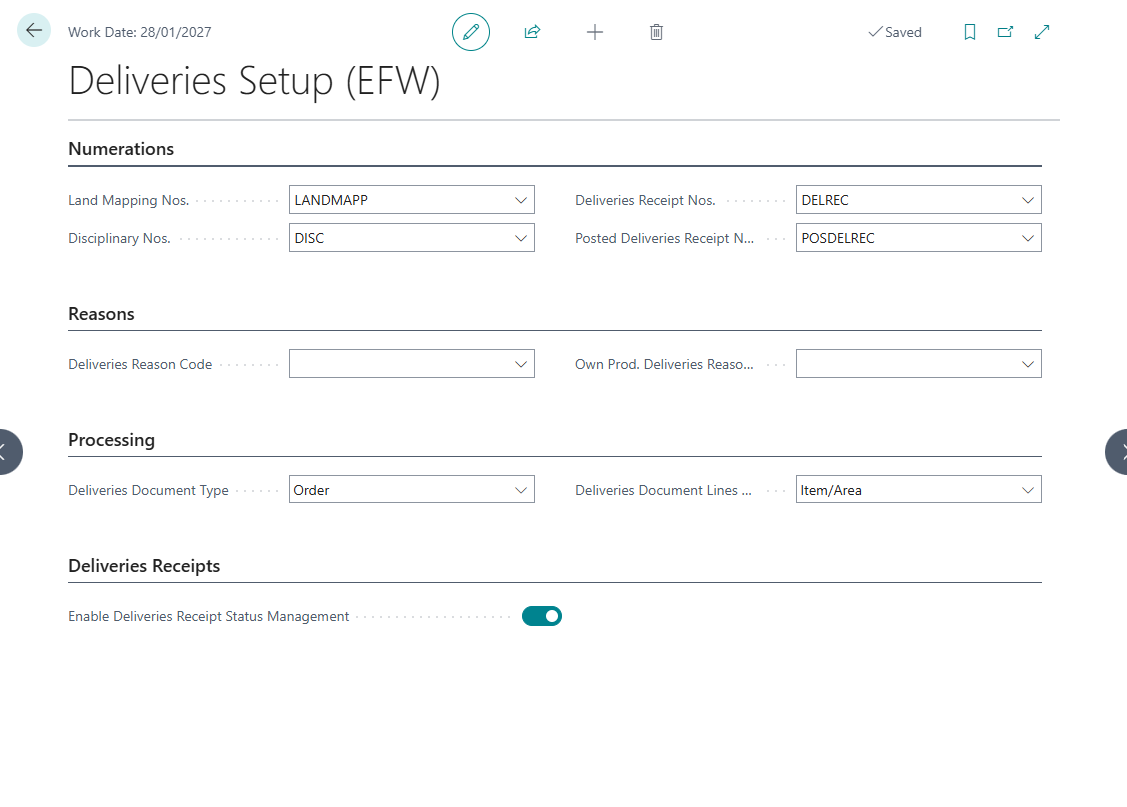
The Deliveries Setup page is the central configuration point for the EOS FOOD Deliveries module. It is a single setup page that holds all the module’s options.
Configuration Sections
1. Number Series (Numerations)
Configure the number series used for automatic document numbering:
| Field | Description |
|---|---|
| Land Mapping Nos. | Specifies the number series used to assign unique identifiers to land mapping records. |
| Disciplinary Nos. | Specifies the number series used to assign unique identifiers to disciplinary records. |
| Deliveries Receipt Nos. | Specifies the number series used to assign unique identifiers to deliveries receipt documents. |
| Posted Deliveries Receipt Nos. | Specifies the number series used to assign unique identifiers to posted deliveries receipt documents. |
2. Reason Codes
Configure default reason codes used when creating delivery orders:
| Field | Description |
|---|---|
| Deliveries Reason Code | Specifies the default reason code applied to delivery orders. |
| Own Prod. Deliv. Reason Code | Specifies the default reason code applied to own production delivery orders. |
3. Processing
Configure document creation behavior:
| Field | Description |
|---|---|
| Deliveries Document Type | Specifies the default purchase document type (Order or Blanket Order) created when generating delivery orders from land mappings. |
| Deliv. Document Lines Grouping | Specifies how purchase document lines are grouped when creating delivery orders from land mappings. |
| Company Vendor No. | Specifies the vendor number representing the company itself, used for own production deliveries. |
4. Deliveries Receipts
| Field | Description |
|---|---|
| Enable Deliv. Rcpt. Status Mgt | Specifies whether the status management workflow is enabled for deliveries receipts, allowing status transitions before posting. |
Setup Checklist
Before using the module, ensure the following are configured:
- All four number series are assigned
- Deliveries Reason Code is set
- Own Prod. Deliv. Reason Code is set (if using own production)
- Company Vendor No. is set (if using own production deliveries)
- Deliveries Document Type is selected (Order or Blanket Order)
- Lines Grouping method is selected
- Status Management is enabled/disabled per business requirements
Disciplinaries
Disciplinaries define agricultural production specifications that can be associated with land mappings.
| Field | Description |
|---|---|
| Code | Specifies the unique identifier for the disciplinary record. |
| Disciplinary Name | Specifies the descriptive name of the production disciplinary, such as organic or conventional farming methods. |
| Yield Limit | Specifies the maximum allowed yield limit for this disciplinary. Used to control production thresholds per land mapping. |
| Notes | Specifies any additional notes or remarks about the disciplinary record. |
Disciplinaries support document attachments via the standard BC attachment factbox.
Land Mapping Areas
Simple code/description lookup for geographic area classification.
| Field | Description |
|---|---|
| Code | Specifies the unique code that identifies the land mapping area. |
| Description | Specifies a description of the land mapping area, such as a geographic region or zone name. |
Weighing Machines
Registry of weighing machines.
| Field | Description |
|---|---|
| No. | Specifies the unique identifier for the weighing machine. |
| Name | Specifies the descriptive name or label of the weighing machine. |
Weighing Operators
Registry of operators who perform weighing operations.
| Field | Description |
|---|---|
| No. | Specifies the unique identifier for the weighing operator. |
| Name | Specifies the full name of the weighing operator responsible for performing weight measurements. |
Feedback
Was this page helpful?
Glad to hear it! Please tell us how we can improve.
Sorry to hear that. Please tell us how we can improve.