Node-red printer flow
Node‑RED Flow Configuration
Communication between LS Express and the Epson fiscal printer is managed through flows configured within the Node‑RED integration platform. Node‑RED is a flow‑based development tool that allows the creation of integration applications by combining graphical nodes through a drag‑and‑drop web interface. The integration between LS Express and the fiscal printer therefore requires the installation and configuration of Node.js.
Node-RED flows
The integration with the fiscal printer is managed through two specific Node-RED flows:
- handling the printing of sales, voids, and refunds commercial documents
- handling the printing of the financial closure (Z Report)
Both flows require minimal setup related to configuring the communication between Node-RED and LS Express/Business Central. For each flow, in the “Init settings” node, you must define:
- BC_SOAP_URL: the address of the web service exposed by Business Central for the integration
- BC_USER: the Business Central user dedicated to the integration
- BC_KEY: the password of the Business Central user
- POSId: the specific POSId associated with the fiscal printer connected to the computer
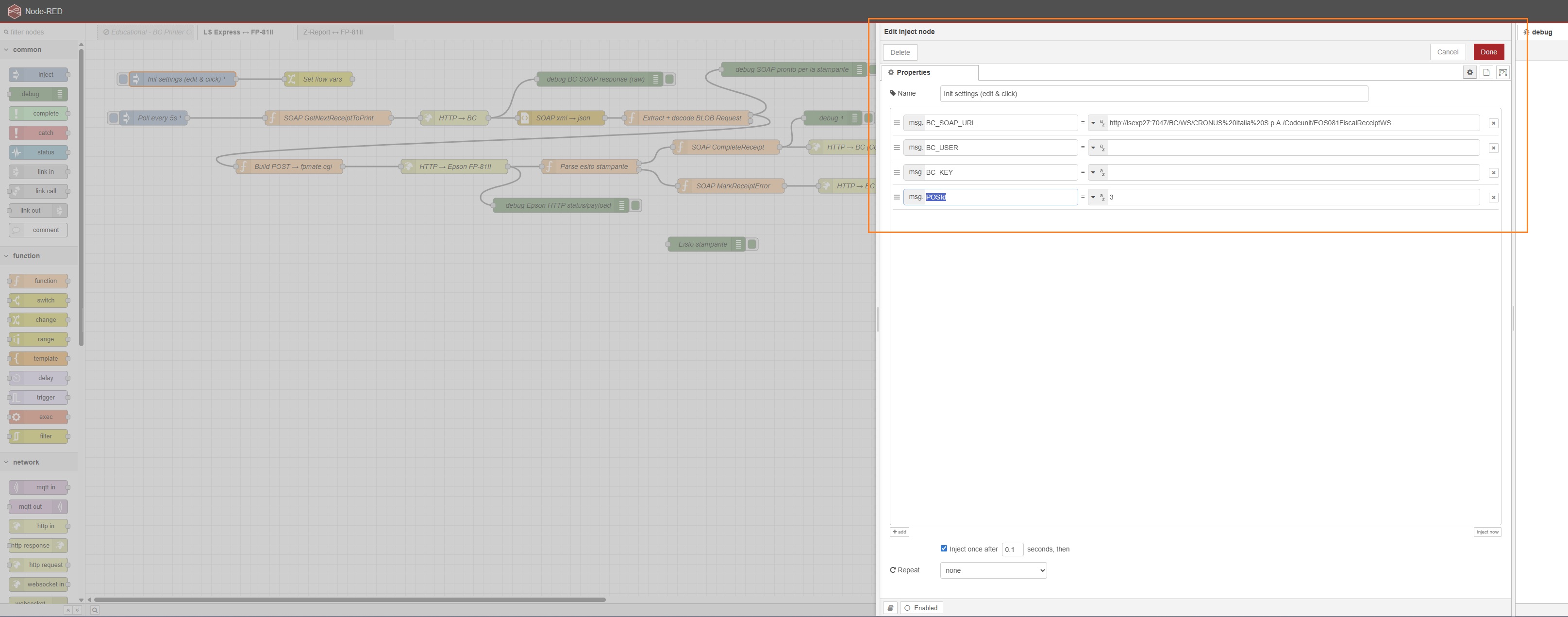
After entering the communication parameters for LS Express/Business Central, you can configure the execution frequency of the two flows through the “Poll every” node settings. You will need to define:
- Scheduling type: Interval
- Repetition schedule: Seconds and the number of seconds
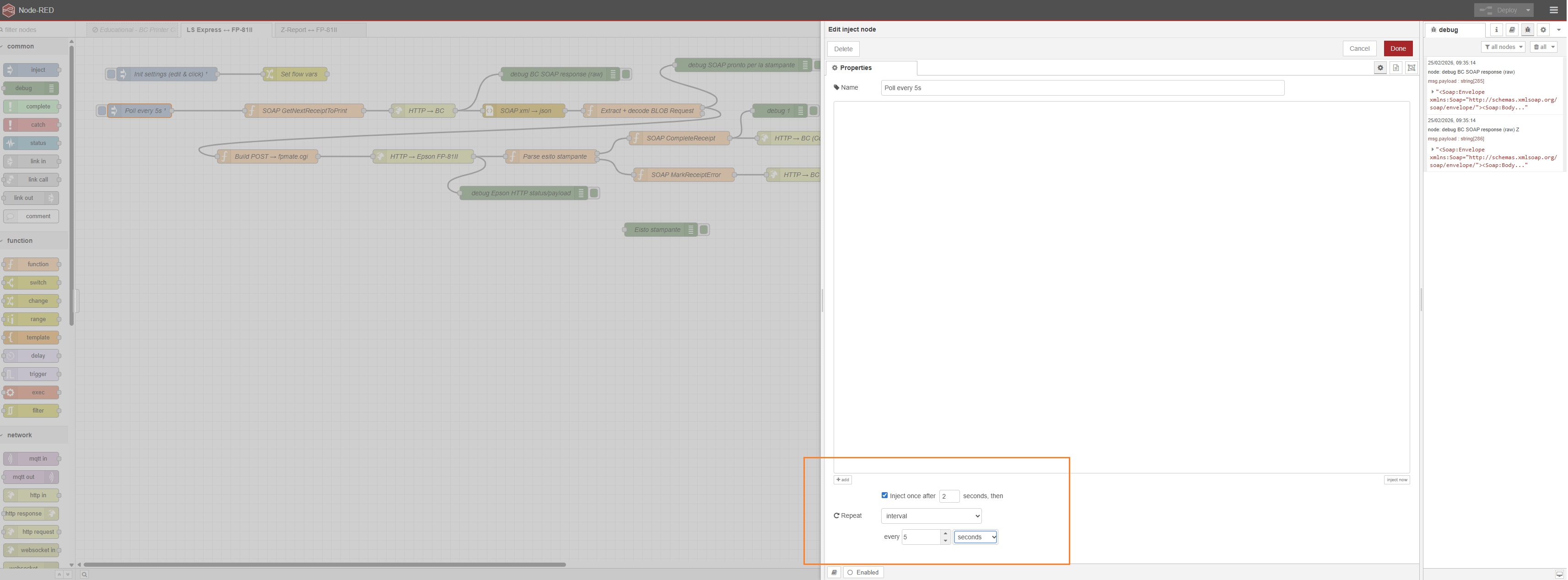
After setting all the parameters described above, you can save and start the flow by clicking Done and then Deploy.
Feedback
Was this page helpful?
Glad to hear it! Please tell us how we can improve.
Sorry to hear that. Please tell us how we can improve.