Leasing Goods
Every physical asset subject to a leasing contract (a vehicle, a building, a piece of equipment) must be recorded in the Leasing Goods master data before it can be linked to a contract.
The leasing good card collects the basic information required to calculate the depreciation schedule and to create the Right of Use fixed asset: description, monetary value, any initial direct costs, and, once created, the link to the generated fixed asset.
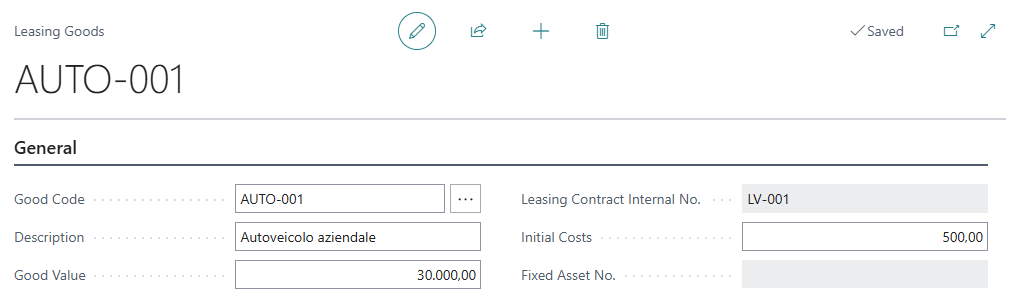
A good can be assigned to only one contract at a time and cannot be deleted while it is still linked to a contract.
Configuration
No specific configuration is required beyond the general module Setup. If a number series has been defined for the good code in the Setup, the code can be assigned automatically; otherwise it must be entered manually.
Usage
- Search for Leasing Goods (LCM) and click New.
- Enter the Good Code (manually, or leave it blank to have it assigned automatically from the number series configured in the Setup).
- Enter the Description of the good: it is automatically copied to the description of the Right of Use fixed asset.
- Enter the Good Value: this amount determines the share of each installment allocated to the good when a contract includes multiple goods. If the value is left at zero and the good is the only one in the contract, it is treated as 100% of the total.
- If there are initial direct costs related to the signing of the contract (e.g. activation fees), enter them in the Initial Costs field: they will be added to the value of the Right of Use fixed asset during the IFRS16 detection.
Once the entry of the record is complete the good is available to be assigned to a leasing contract through the Assign Goods action on the leasing contract card
Feedback
Was this page helpful?
Glad to hear it! Please tell us how we can improve.
Sorry to hear that. Please tell us how we can improve.